A website redesign is one of the most important decisions a small business can make.
Your website often forms the first impression potential customers have of your brand, and it plays a central role in marketing, lead generation, and credibility.
However, a website redesign is not just a visual exercise. A successful website redesign requires planning, research, testing, and a clear understanding of business goals. Without a structured website redesign checklist, many businesses end up with a redesigned website that looks better but performs worse.
This guide walks you through a complete website redesign checklist for small businesses, covering strategy, user experience, content, performance, SEO, and long term growth. It is designed to help you approach your website redesign as a strategic process rather than a cosmetic update.
Why a Website Redesign Matters More Than Ever
Search engines, user expectations, and technology constantly evolve. An old site that worked five years ago may now suffer from poor user experience, slow site speed, weak mobile responsiveness, and declining search engine rankings.
A website redesign often becomes necessary when:
- Website performance declines
- Mobile users struggle to navigate the site
- The brand identity no longer reflects the business
- Search engine optimisation has been neglected
- The website’s structure no longer supports growth
Redesigning your website gives you the opportunity to realign your online presence with broader business objectives and modern user needs.
Step 1: Define the Purpose of Your Website Redesign
Every website redesign project should start with clarity.
Before touching visual design or layout, identify why you are redesigning your website. A redesign involves more than improving aesthetics. It should support a business strategy.
Common business goals include:
- Generating more enquiries
- Improving user engagement
- Increasing search engine visibility
- Supporting a rebrand
- Improving usability for mobile users
A successful website redesign aligns these goals with measurable outcomes.
Step 2: Analyse Your Current Website Performance
Your current website provides valuable insights. Ignoring it is one of the most common mistakes during a site redesign.
Use tools such as Google Analytics to assess:
- Website traffic patterns
- User behaviour on key pages
- Drop off points
- Conversion paths
- Differences between desktop and mobile users
Understanding how real users interact with your existing site helps you avoid repeating the same mistakes on the new site.
Step 3: Gather User Feedback and Insights
A redesign strategy should not rely on assumptions.
Gather user feedback from:
- Existing customers
- Enquiry forms
- Support emails
- Sales conversations
You can also run surveys or interviews to gather feedback directly from real users. Ask what frustrates them, what they struggle to find, and what they value most.
User feedback highlights poor user experience issues that analytics alone may not reveal.
Step 4: Conduct User Research and Competitor Analysis
User research helps you understand how potential customers think and behave online.
This stage of the website redesign process should include:
- Identifying user needs
- Mapping the user journey
- Reviewing competitor websites
- Analysing landing pages that perform well
Competitor analysis does not mean copying. It helps you understand market expectations and identify opportunities to stand out with better usability, clearer messaging, and stronger brand personality.
Step 5: Audit Existing Content Thoroughly
Content is often treated as an afterthought, but content strategy plays a critical role in a successful redesign.
Audit existing content across all website pages:
- Identify outdated or irrelevant pages
- Review web pages with strong SEO performance
- Check for broken links
- Identify duplicate or thin content
- Decide what to keep, rewrite, merge, or remove
Audit existing content before the redesign begins to ensure valuable pages are not lost.
Step 6: Review Site Structure and Navigation
The website’s structure determines how easily users and search engines can find content.
Assess your site structure by asking:
- Are key pages easy to reach
- Does navigation reflect how users think
- Are services grouped logically
- Does the same page appear in multiple places unnecessarily
A clear website structure improves user experience, search engine optimisation, and overall usability.
Step 7: Map the User Journey
A redesign checklist should always include user journey mapping.
Consider:
- How users arrive at your site
- Which landing pages they see first
- What actions they are encouraged to take
- Where friction occurs
Mapping the user journey helps you design web pages that guide visitors naturally toward conversion rather than confusing them.
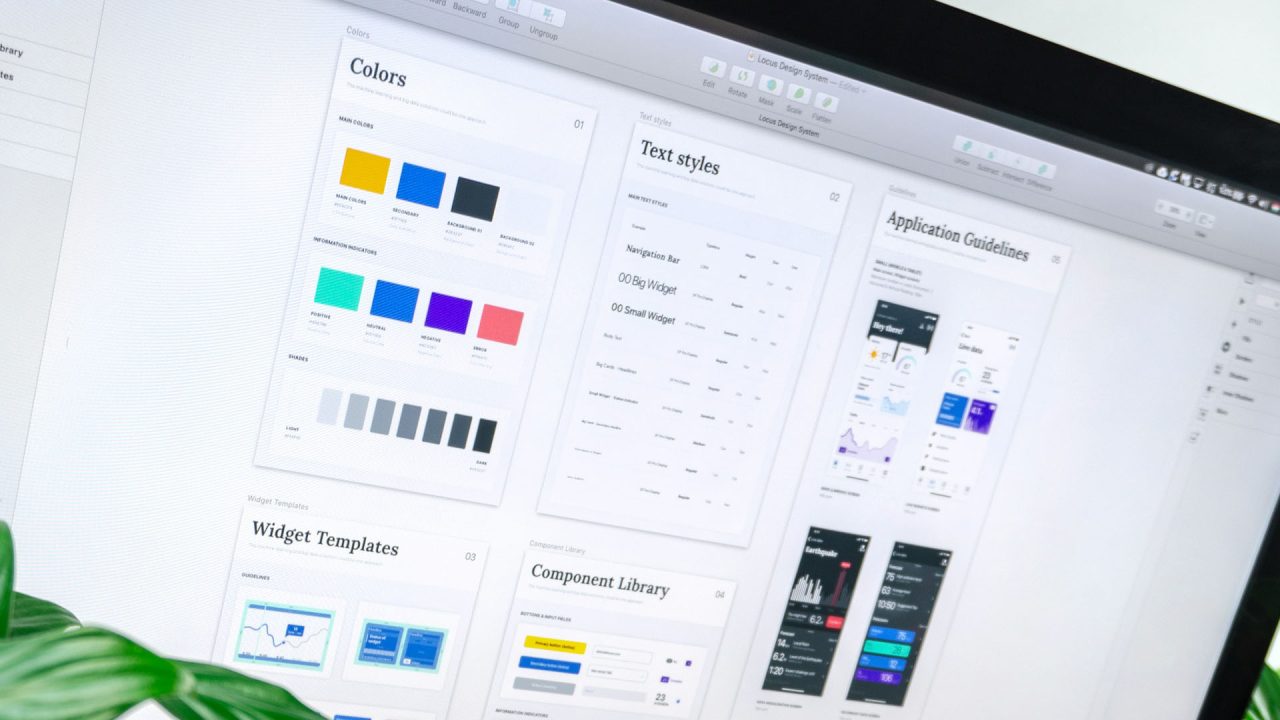
Step 8: Define Visual Design and Brand Identity
Visual design is more than colours and fonts. It communicates trust, professionalism, and brand personality.
During a website redesign:
- Ensure visual design reflects your brand identity
- Maintain consistency across pages
- Use imagery that supports your message
- Avoid trends that date quickly
A redesigned website should feel modern but timeless, supporting long term growth rather than short term appeal.
Step 9: Plan Mobile Responsiveness and Responsive Design
Mobile users account for a large percentage of traffic on most websites.
Your redesign plan must prioritise:
- Mobile responsiveness
- Responsive design across all devices
- Touch friendly navigation
- Readable text without zooming
Poor mobile responsiveness leads to poor user experience and reduced search engine rankings.
Step 10: Improve Site Speed and Core Web Vitals
Site speed directly affects user engagement and SEO performance.
During the redesign process, review:
- Page load times
- Image optimisation
- Hosting quality
- Unnecessary scripts
Improving Core Web Vitals supports both user satisfaction and search engine results.
Step 11: Protect and Improve SEO Performance
Search engine optimisation must be integrated into the website redesign process from the start.
Key SEO considerations include:
- Preserving high performing URLs
- Managing redirects correctly
- Improving metadata
- Strengthening internal linking
- Optimising key pages and landing pages
A strategic redesign protects existing rankings while creating opportunities for growth.
Step 12: Plan Content Creation for the New Site
A new website often requires new content.
Content creation should focus on:
- Clear messaging
- Supporting user needs
- Improving search engine visibility
- Aligning with business goals
Avoid copying content blindly from the old site. A redesign is an opportunity to improve clarity, structure, and relevance.
Step 13: Choose the Right Content Management System
Your content management system should support long term growth.
Consider:
- Ease of updating content
- Scalability
- SEO capabilities
- Security and maintenance
Choosing the right CMS helps ensure the redesigned website remains easy to manage.
Step 14: Conduct User Testing and Usability Testing
Before launch, user testing is essential.
Usability testing should include:
- Navigation testing
- Form testing
- User testing on different devices
- Feedback from real users
Testing highlights issues that internal teams often miss.
Step 15: Review Website Functionality Thoroughly
Your website’s functionality should support, not hinder, the user experience.
Check:
- Forms
- Contact methods
- Interactive elements
- Broken links
- Page transitions
Small functionality issues can undermine an otherwise successful redesign.
Step 16: Launch the Redesigned Website Carefully
A website redesign project does not end at launch.
Before going live:
- Test all web pages
- Check redirects
- Verify analytics tracking
- Confirm mobile performance
A careful launch reduces disruption and protects search results.
Step 17: Monitor Performance After Launch
After launch, monitor performance closely.
Use analytics to:
- Track user engagement
- Monitor search engine rankings
- Identify new drop off points
- Measure improvements
Monitoring helps ensure the redesign delivers real value.
Step 18: Gather Feedback After Launch
Continue to gather feedback from users.
Post launch feedback often reveals:
- Unexpected usability issues
- Opportunities to improve conversions
- Content gaps
A successful redesign evolves over time.
Step 19: Measure Success Against Business Objectives
Evaluate the redesign against your original business goals.
Ask:
- Has website performance improved
- Is user engagement higher
- Are potential customers converting more often
- Has SEO performance improved
This closes the loop on your redesign strategy.
Step 20: Plan for Continuous Improvement
A website refresh is not a one off task.
Plan for:
- Ongoing updates
- Content improvements
- SEO optimisation
- Feature enhancements
Continuous improvement ensures your website remains competitive.
Turning Insight Into a Clear Website Redesign Plan
Before you move into visual changes or technical decisions, it is essential to step back and create a clear website redesign plan that reflects how people actually use your site. Analysing user behaviour gives you valuable insights into what works, what causes friction, and what prevents users from taking action. This is especially important when deciding whether a full website redesign is needed or whether a lighter website refresh would achieve the same result.
Start by reviewing your current site with fresh eyes. Look at how visitors move between pages, where they drop off, and which sections attract the most attention. Understanding your target audience helps you align decisions with real expectations rather than assumptions. A strong content strategy should also be part of this stage, ensuring the messaging on your current site supports business goals and user intent before you redesign your website.
This strategic thinking sets the foundation for a successful website redesign by making sure every decision is based on evidence, not guesswork.
Improving Site Performance Without Losing Focus
One of the most common mistakes businesses make when they redesign your website is focusing purely on appearance. While good web design matters, long term success depends on how well the site performs and how users feel when navigating it. Monitoring site performance before and after launch allows you to measure progress and avoid repeating issues from your existing website.
Pay close attention to user experience across devices, especially for mobile visitors. A new website should feel faster, clearer, and easier to use than before, not more complicated. Maintaining a strong content strategy during the transition ensures continuity while allowing improvements where needed. Reviewing site performance again after launch helps confirm whether the website redesign has improved engagement and usability.
When approached carefully, web design becomes a tool to support function, not distract from it. A thoughtful website refresh can sometimes achieve the same goals as a full rebuild, provided the key elements that matter to your target audience are preserved. This approach helps ensure your web design decisions lead to a new website that performs better than your current site, rather than simply looking different.
Final Thoughts
A website redesign is a complex but rewarding process when approached strategically. Using a structured website redesign checklist helps small businesses avoid common pitfalls and create a redesigned website that delivers measurable results.
A successful redesign improves user experience, strengthens brand identity, supports search engine optimisation, and aligns your website with your broader business strategy.
When planning your next redesign, focus on clarity, research, testing, and performance. That is how a redesign becomes a long term asset rather than a short term expense.